What Needs To Be Done
Ideas Generation - Concept
- Mood boards - For the concept of my main character, I would generate lots of unique ideas by using a mood board and jotting down random words which would relate to the main character and give us more ideas on what this main character would look like.
- Sketches - For the sketches, since my character would be pixel art, I would simply do a lot of thumbnail sized sketches and pick which one I like best and further develop these.
- Colour Ideas - These would be the colour ideas for the concept I would be doing, but the whole theme of the game would be based around yellows and greens to represent Lemons and Limes
- Photobashing - I most likely won’t use this too much but it could give me a good idea for what I could do for an enemy or an asset.
- Research - For my research I would use Pinterest to collect ideas for each character and lots of other things and ideas for my game, I would use this research closely with my moodboards.
Ideas Generation - Programming
- Youtube - For me, I would use Youtube to help me out on my programming as it would explain clearly how things work, and I could go through programming channels and find a tutorial which I like the look of and use that to help me
- Playing Games - I could generate ideas for my programming simply by playing games and looking at their mechanics and take inspiration from them.
- UML Diagrams/Flow charts - I could make flow charts and UML Diagrams to figure out how my code is going to be laid out and how it’s going to work.
https://trello.com/b/132bCE29/lemon-lime
This is my plan for Week 4 to Week 9, hopefully I get it all done by then.

Week Number & Date: Week 4 - 19th / 26th Dec
List of Tasks planned for this week:
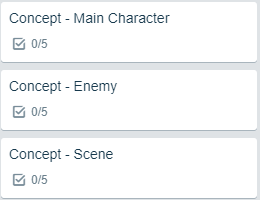
Concept - (Mood Board, Sketches, Colour Ideas, Research)
- Main Character
- Enemy
- Scene
For each of these concepts I would generate a mood board, a sketch, colour ideas and research so I can finalize the product, I would do all of this so I can get my concepts for my work just right and perfect.
If I get far enough, I might be able to create the finished Character and Enemy sprites and I may be able to create a finished scene, but this all depends if I have enough time.
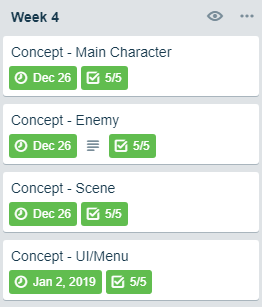
Current Position -
- What did I do this week and why did I do it? (Screenshots/Videos/Photos)
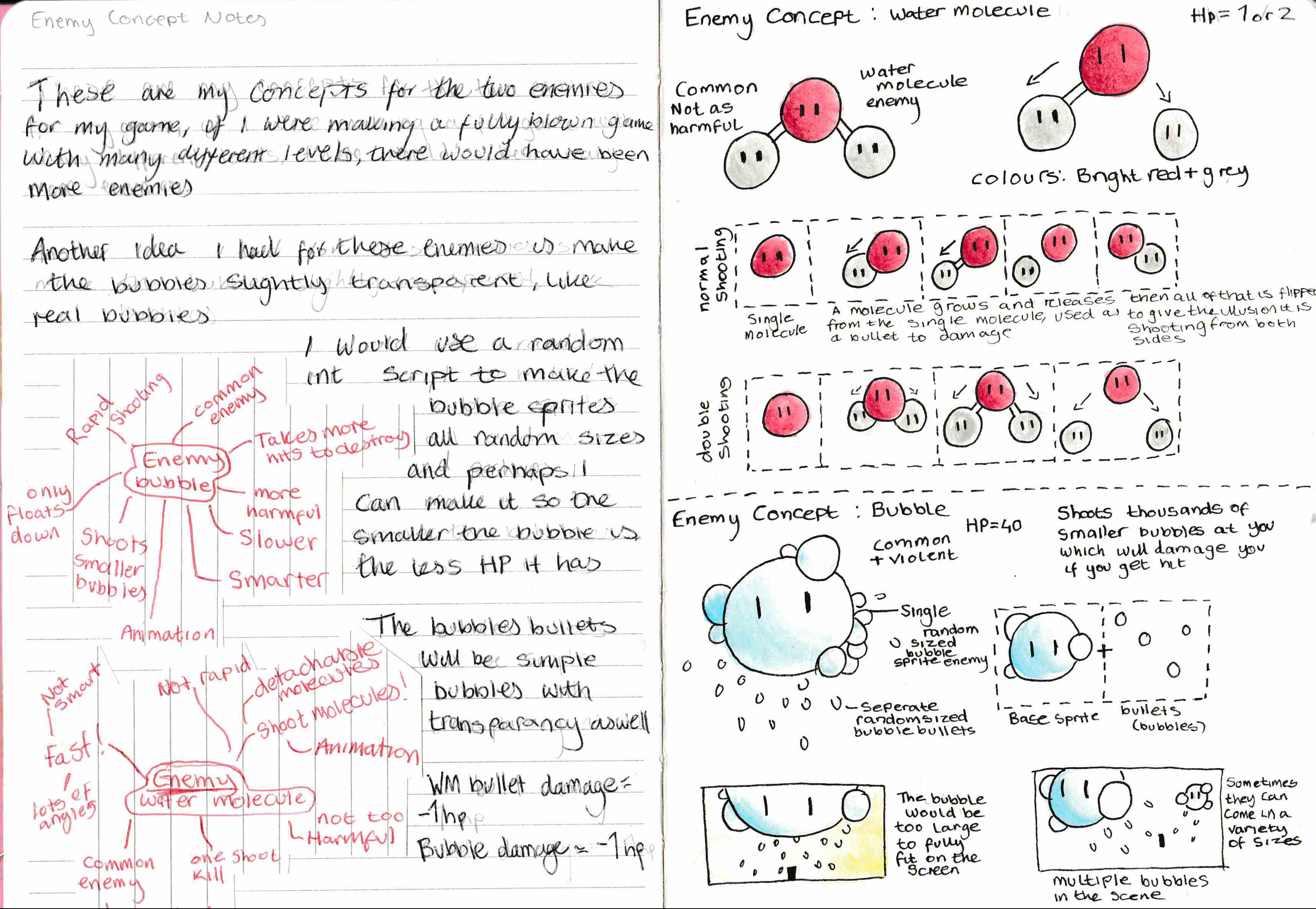
This week I managed to do all I had planned plus more, what I thought I would do when I finished those concepts was go on to make finalized assets which would be used in-game, but I decided against that since I would like to do lots of little concept doodles of different ideas I get during the development of the game and not finalize it straight away as I could change my mind on something.
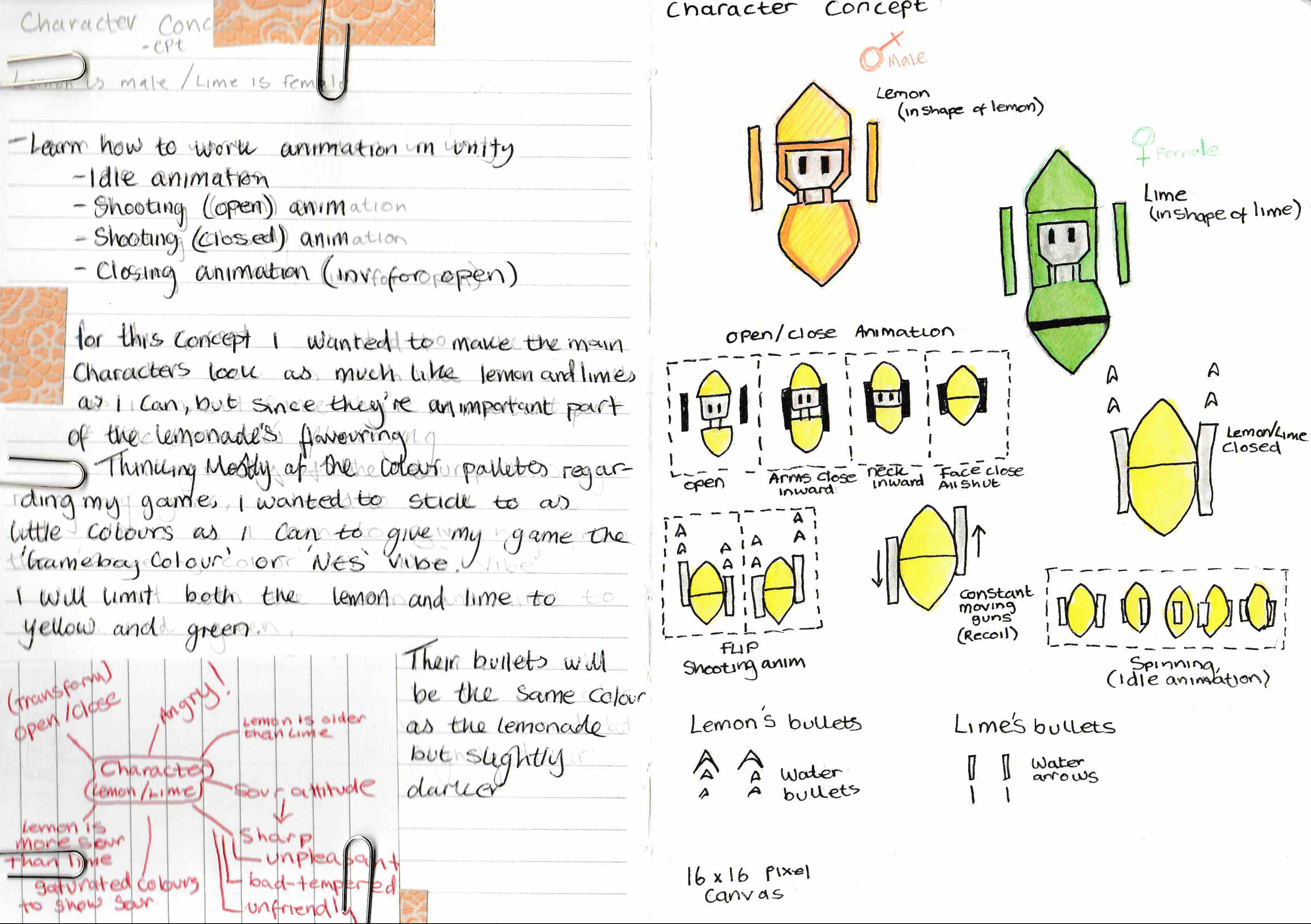
What I did manage to do though is make concepts which I am happy with for the main character, enemy, scenes and UI/Menu.
NOTE: I made a start on scene/UI/menu page but this won’t be applied and finished until next week
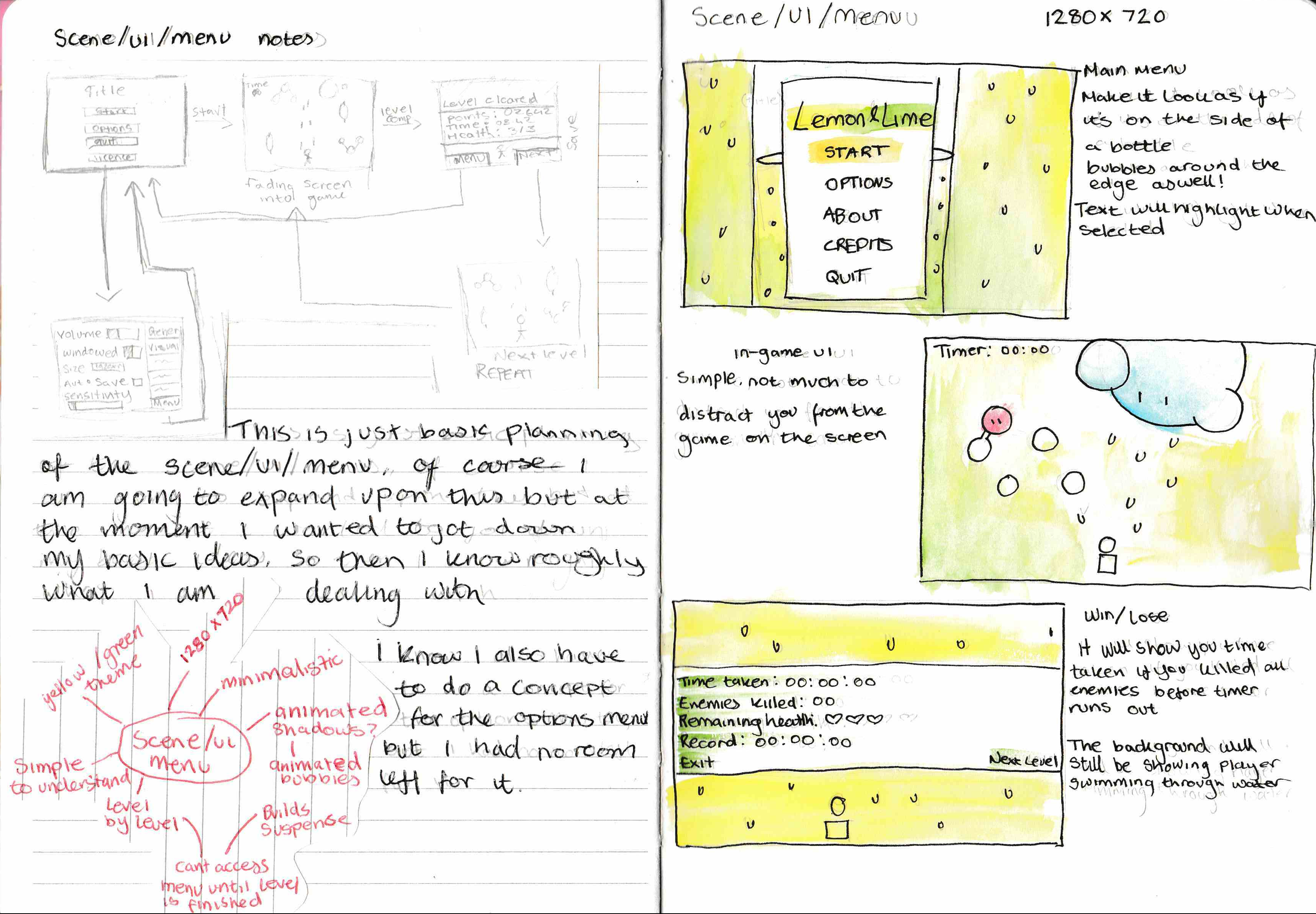
I was also able to write detailed descriptions and annotations on the concepts so I would understand it later on.
Another thing I did, which I was happy with was story-board the animations which the Main Characters and Enemies would do, this includes idle animation, and shooting animations.
Also, I’ve made a very quick prototype of the game, to just find ideas and how everything would work, whilst doing this, I figured that the background could just be plain, and all the detail would be the particles which I would make move down so it looks like the player is moving instead of an animated background or actually moving.
https://www.youtube.com/watch?v=P3iaxpr0JOc
- What did I find difficult or easy?
What I did find difficult is designing the UI/Menu, I think that the UI/Menu needs a more detailed concept and some more sketches to consider it finished.
I found this difficult because I have never really designed a UI before, so I researched lots of examples and I’m going to try to figure out how to make it work and look nice.
One thing I did find easy is the concepts for the main characters, since I already had some sort of idea in mind for the main characters I developed them off of that, but those ideas didn’t really fit in well so I needed to adjust them to make them fit well to the game For example, I wanted a 16 x 16 sprite, and the original concept I had in mind for the main character wouldn’t translate well to a 16 x 16 sprite, so I made some adjustments, and made it more simplistic, but the good thing about those adjustments is that I managed to make both the Lemon and the Lime look like.. lemons and limes.
- What tasks didn’t I complete from this week?
I managed to complete all the tasks I set myself, but I did have a slight problem with the colour ideas as I done my colour ideas on Photoshop and I can’t exactly put those exact colours onto my hand-drawn concept art, so I made the colour I think was the closest on the concept art.
Planning for next week -
- How do I plan to catch up?
Well since I started on next week’s concept work early, I plan to catch up by finishing the Scene/UI/Menu concept art by doing that in more detail.
I would do this because the work I have done for the Scene/UI/Menu at the moment isn’t very detailed and doesn’t show the assets I would need (Buttons etc) to make, it’s just a few thumbnail sketches
- Do I need to change anything about my work or planning?
I don’t think I do need to, I’m happy with how it is all working out at the moment.
Week Number & Date: Week 5 - 26th Dec – 2nd Jan
List of Tasks planned for this week:
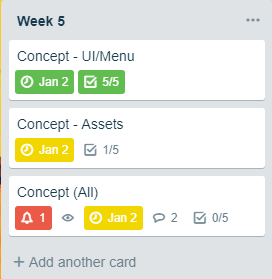
Concept - (Mood Board, Sketches, Colour Ideas, Research)
- Main Menu
- UI
- Assets
This week I planned to work on everything to do with the aesthetic of the game, like the menus and the UI in detail, I would create sketches and storyboards of how my menus would work and get a rough idea on how I would like them to be animated.
I also had the assets planned for this week, I would have made all the health potions and other items which the player would use.
I wanted to get every single asset and menu concept planned, from the UI in game and the options menu and the death screen etc.
Current Position -
- What did I do this week and why did I do it? (Screenshots/Videos/Photos)
Finished Scene/UI/Menu (1) Sheet (1/4 of them)
This week I didn’t manage to do as much as I had planned, I was looking at the start menu in much more detail, but I’m quite happy with how my start menu’s concept is turning out as I like the idea and I think it is very creative.
I haven’t got onto the UI or any other menus at the moment as I’ve just been focusing on the start menu, as I think that’s one of the most important parts of the game as it sets the first impression on the player, knowing this I have done lots of research into menu screens trying to generate ideas and what would work the best for the theme of my game, and I came up with the idea of using the label on the side of a lemonade bottle and replacing some of the information boxes with the ‘Start’, ‘Options’ etc. – In my opinion I like this idea as it is immersive and relates with the game’s theme, I would much rather an immersive main menu then one with just the buttons on a blank coloured screen.
https://www.pinterest.co.uk/Numpadn_Art/start-screen-ideas-gen/
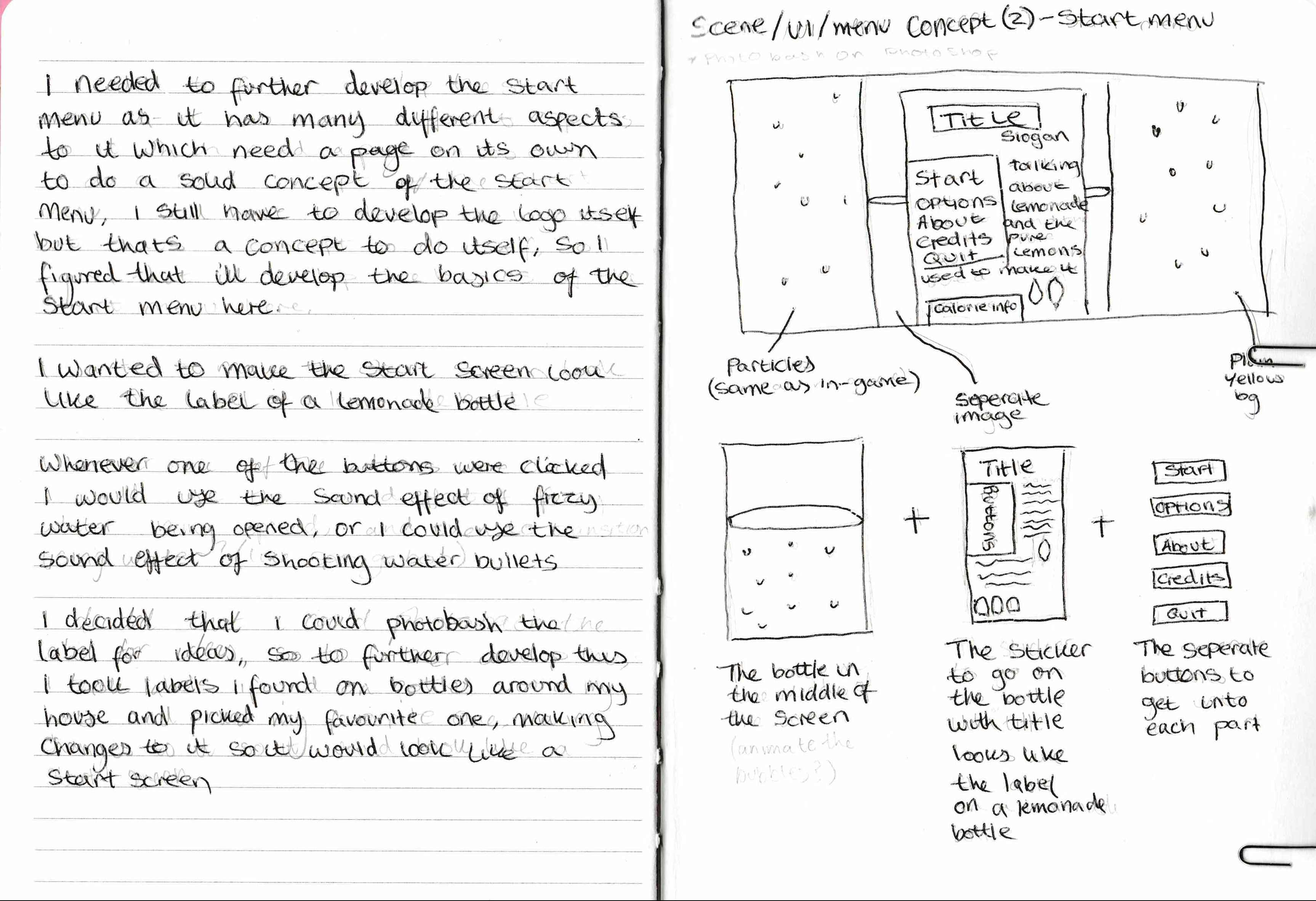
To get accurate looking concepts of the menu, I have done some real life photo bashing,
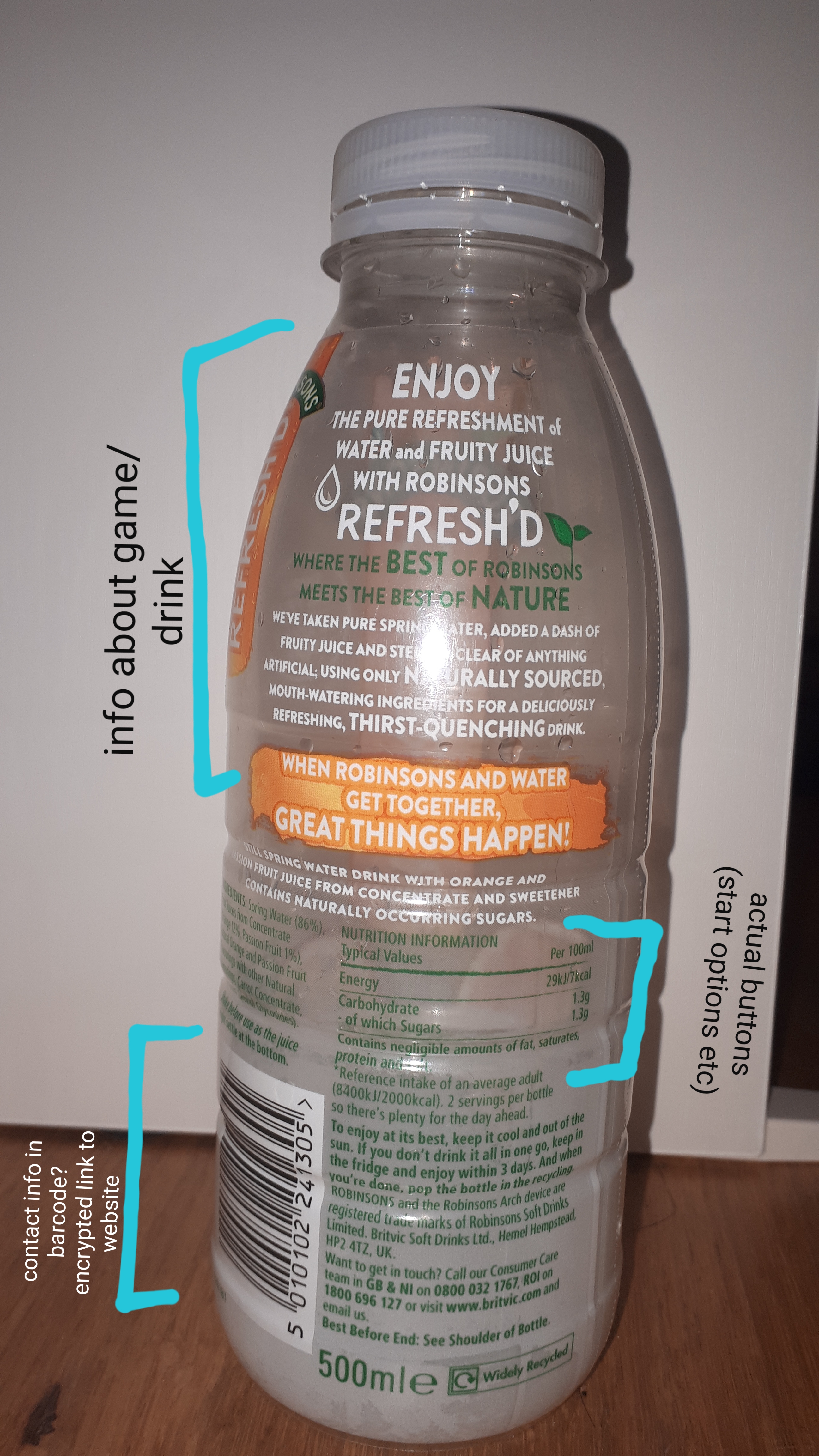
finding my own bottle of drink and copying the label, sticking stuff on top and bashing together the perfect concept for my main menu.
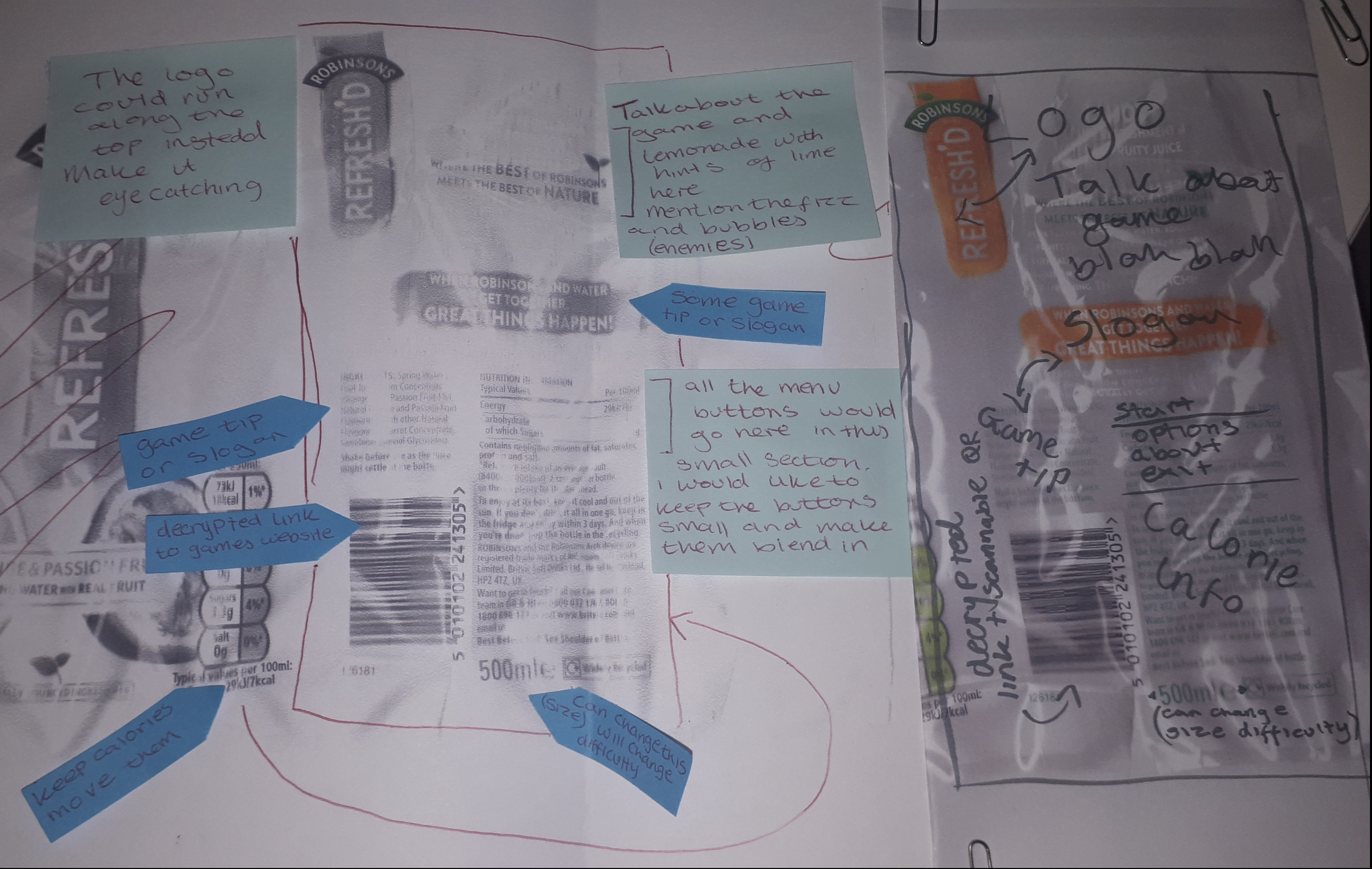
Once I managed to photocopy everything, I began annotating the photocopy, with a few ideas on how it would all be arranged and laid out, where the buttons would be, what information would be where etc.
The 2 photographs below show how I further developed my concepts for the start menu, starting with the first image, I made post-it notes and moved them around the picture with my different plans until I was happy with it, I then wrote with a felt tip pen my finalised ideas of where everything will be arranged.
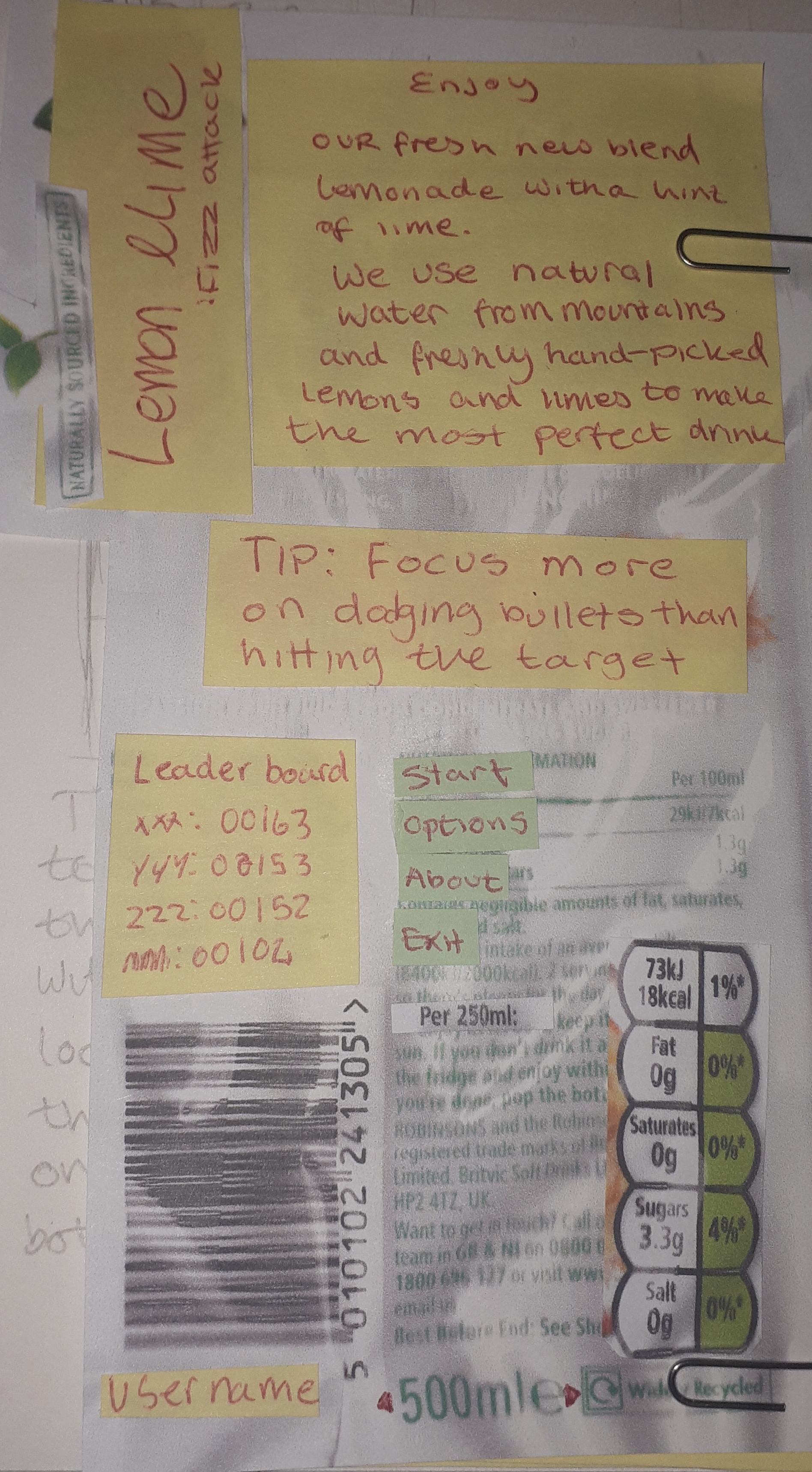
This is the final arrangement of my Main Menu, from this, I found out that I wanted to add a leaderboard to my game and I wanted to add lots of random tips to the menu (I got the idea of the tips from Drakengard 3’s loading screen) - I like how it would give you tips which would help you defeat said boss every time you die whilst fighting it whilst you were waiting to fight it again, although this is a small detail, I really liked it and wanted to include it into my own game, except not on the loading screen but on the main menu.
I also like the idea of the size of the bottle (500ml) could represent the difficulty of the game, the bigger the bottle the longer the level will be, resulting in more bosses to beat. I was thinking of using the calories to display your final scores and how many enemies were defeated and I also wanted to put some sort of secret link into the barcode by changing the letters to numbers and use that as some sort of secret code, or maybe making a QR code which would lead to the website for the game.
I also made a small start on the assets concepts by doing my research, writing a little description and making a mind map, and a Pinterest board.
https://www.pinterest.co.uk/Numpadn_Art/assets-ll/
- What did I find difficult or easy?
I found time management difficult. I got too carried away with the little details of the game, that also means I didn’t get anything done nearer Christmas as well as I was very busy.
I also found it difficult to make decisions, with my lack of knowledge of programming, there are lots and lots of stuff I would like to implement into the game but I wouldn’t be able to because of my lack of knowledge - For example, I wanted a mechanic where at the end of every level, you have to shoot toward the top of the screen at the exact right time (there will be a timed button mash thing) and if you do it right you twist open the top of the bottle a little bit more (There would be a cinematic cutscene showing this) but this would be right at the end of the battle once you’ve cleared the route of bubbles, and if you get it wrong, you start the level again, I like it since it’s difficult and you have a lot on your shoulders at the end of each level.
- What tasks didn’t I complete from this week?
I managed to complete the entirety of the start menu concepts, but I still need to do the concepts for the UI during the game, the options menu and the ‘you died’ screen, I also need to do the smaller assets of the game’s concept art, for example, the health potions and speed potions etc.
I was hoping this week I would’ve been done with all of the concepts but that doesn’t seem like the case as I still have a few more concepts left to do, and then after that, I can move onto actually making the sprites for the game.
Planning for next week -
- How do I plan to catch up?
Since I am really behind at the moment, I would need to catch up by finishing the entirety of the concepts for Week 6 (Of which I am already behind on already)
I reckon I could do this all in one day and catch up so I can proceed with my Week 6 stuff.
- Do I need to change anything about my work or planning?
I think I need to just make sure I get rough ideas down by the due date.
Week Number & Date: Week 6 - 2nd Jan – 9th
List of Tasks planned for this week:
Finishing off Week 5 concept
- Assets
- Scene (HUD)
- Scene (End screen/Win screen)
Current Position -
- What did I do this week and why did I do it? (Screenshots/Videos/Photos)
This week, I’ve been catching up with last week’s concept art, and I managed to do that, but I didn’t get to finalising any of the assets since I wanted to now focus that onto Week 7 and do all my sprites in one week.
Firstly, I finished the in-game HUD concept art, I had opposing ideas for this one, the first idea was to have no HUD at all, so the player can purely focus on the game or the second idea was to have a little HUD so they know roughly what’s going on but it wouldn’t be distracting.
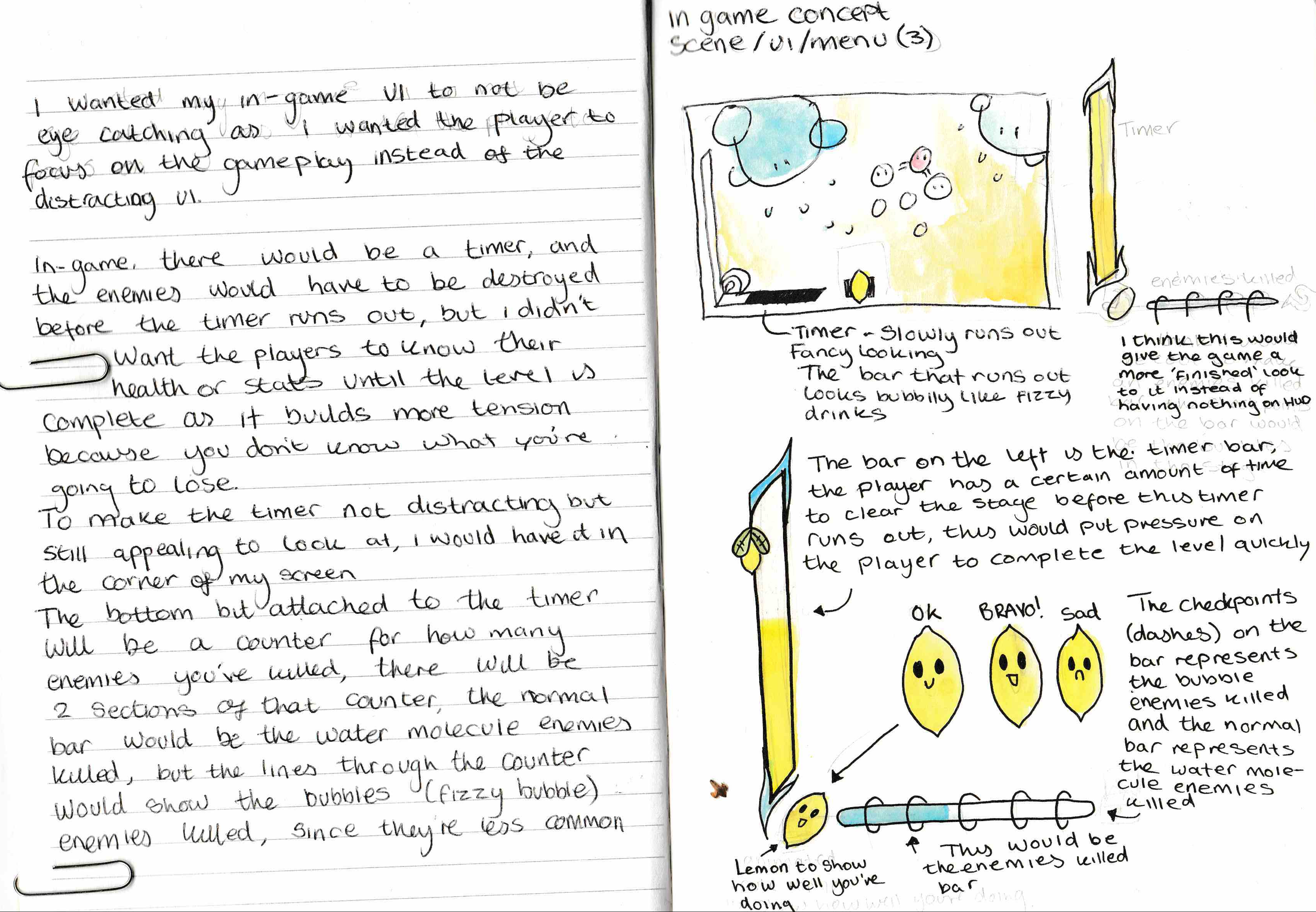
I think this is a good idea because if the player WAS curious with how they’re doing, they can take a glance at the bar and then they would see how little time they have left.
Another thing I managed to get done this week is the win/lose screen I wanted this screen to be as simple as ever since it would only appear for a second, tell you how well (or bad) you did and then proceed to the next level or back to the menu.
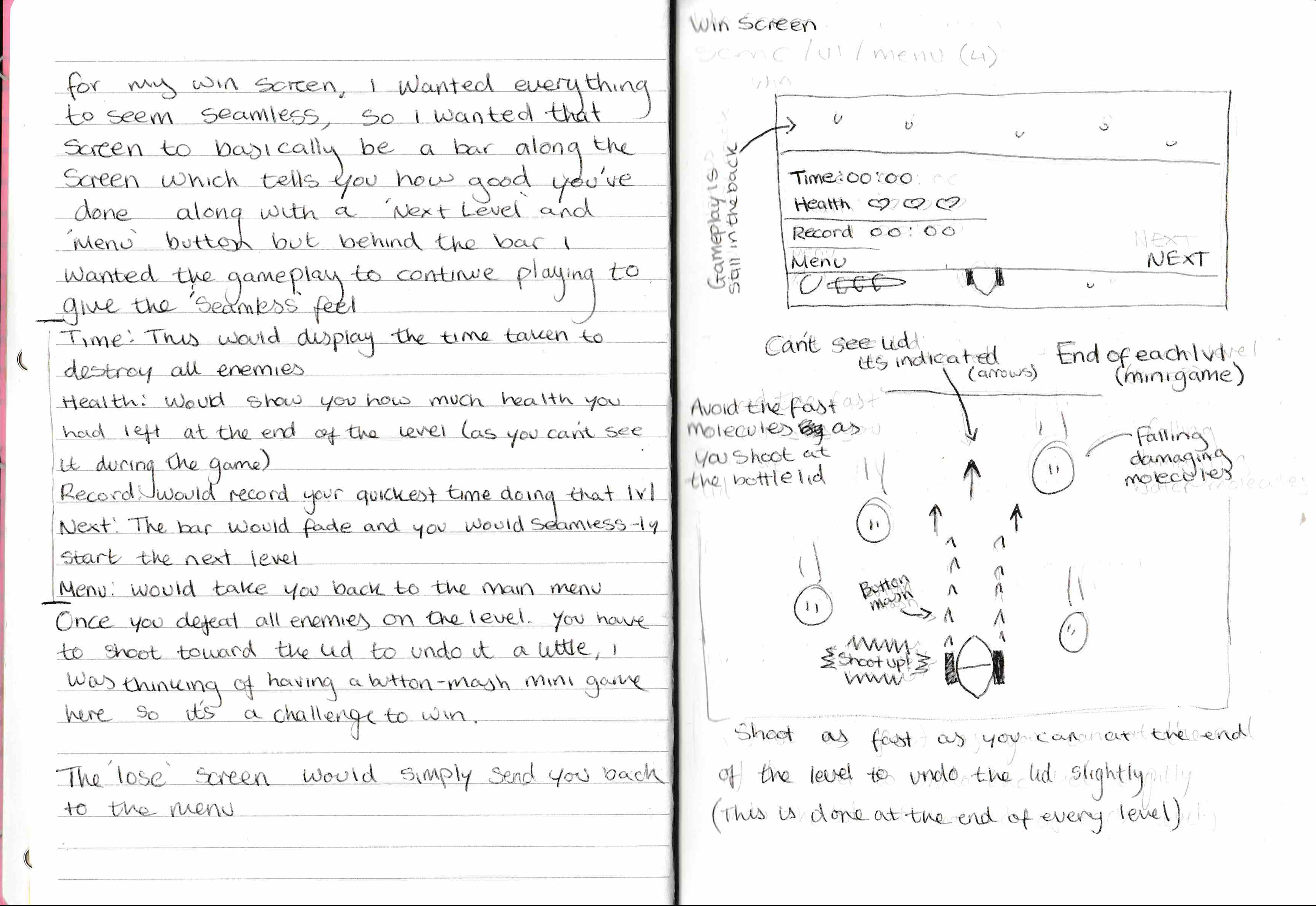
From this, I also wanted to include how the ‘final boss’ part of the game worked, and it’s a little confusing to explain, I’m not even sure if I can implement it properly.
In basic words, once you’ve killed all the bubbles and molecules in your way in that level, you need to shoot toward the top of the bottle at the lid, and you do this at the end of every level to unscrew the lid a little bit, and this part of the level will play out as a small button mashing minigame, if you don’t click the mouse fast enough, you will have to restart the entire level, I don’t think I would implement the falling damaging molecules though. - This idea I think would build a lot of pressure upon the player to get this right and finish the level, otherwise, they would have to restart it all again.
The last piece of concept I finished was the pick-up items in-game, these weren’t as hard to do since they’re basically small glowing balls.
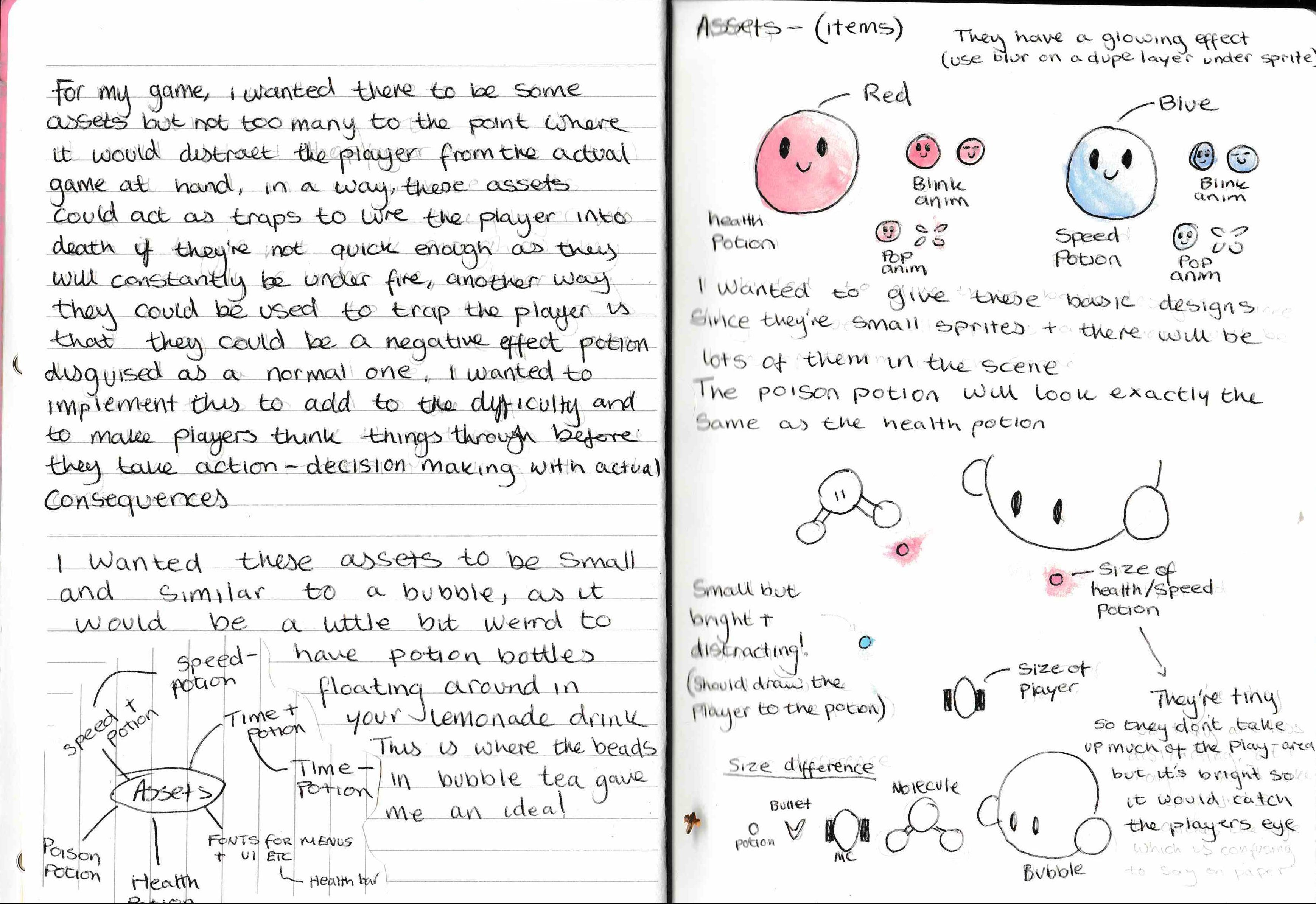
But one thing I did have in mind, is tricking the player. I wanted both the health and
poison potion to look exactly the same, so the player doesn’t know if they’re picking up either one. Same goes with the speed potion, it would be either a speed+ or a speed-
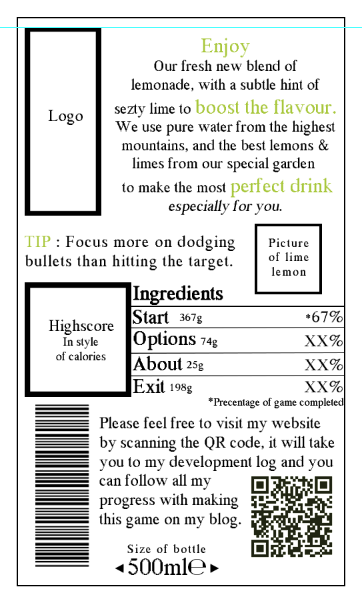
I made a start on finalising my assets, starting with my start screen.
I still need to work on this as I have many missing parts of it, for example, the logo and the picture of the animated lemon (Which will be the same animated lemon from the HUD in my concept art) - I also need to change the fonts about and fix all the colours, it won’t just be this as the start screen, I still have to do the bottle which this label is on and the background behind that (the background would most likely be done in Unity)
I like how in this I added a scannable QR code which would take you to my development blog (this page) and how the barcode is my student number. I also like how the text has different sizes which makes it look like a genuine bottle label.
- What did I find difficult or easy?
I found most of it easy if I’m being honest, as I’m quite comfortable with concept art since it is my forte, one thing I did find challenging though is probably going to be finalising the label, as I had to figure out how to make it look appealing to the eye, like a genuine label but I had to keep in mind that some players might not understand parts of the start screen so I had to cut out a lot of normal content which would usually be on a bottle’s label, also with the label, I’m not too sure how start screens work on Unity, so I had to be really careful and make sure I didn’t merge any layers, I wanted to keep it all separate just in case I needed to change anything.
- What tasks didn’t I complete from this week?
I completed all the tasks I set, but not all the tasks I officially set, since I thought I would be onto finalising everything this week but I haven’t done that yet.
But I did complete every single bit of the concept art which I am happy with.
Planning for next week -
- How do I plan to catch up?
By doing all of my finalising in week 7 (Make all of the character sprites, the enemy sprites and the other stuff) - Which is quite a complicated task to set for myself.
- Do I need to change anything about my work or planning?
No. Don’t think I do.
Week Number & Date: Week 7 - 9th Jan – 16th
List of Tasks planned for this week:
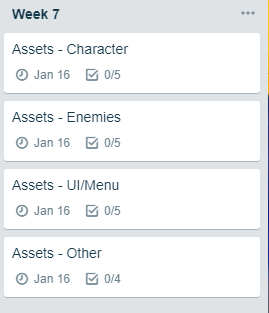
Finalising Assets
- Main Character
- Enemy
- Scene (Health and Enemy bar)
- Any other random stuff
Current Position -
- What did I do this week and why did I do it? (Screenshots/Videos/Photos)
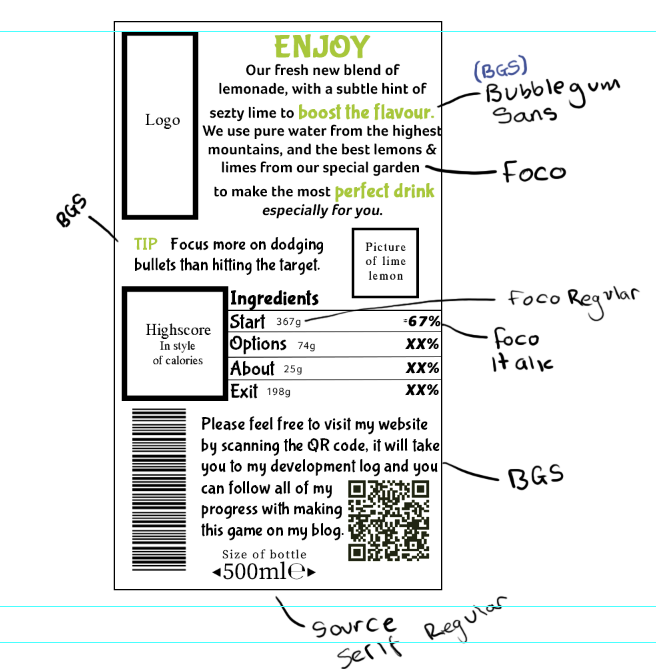
I started off by carrying on from last week with the start screen, installing some fonts to use for it, like, for example; Bubblegum Sans (https://www.fontsquirrel.com/fonts/bubblegum-sans) and Foco (https://allbestfonts.com/shrift-foco/)
I found these fonts to be very nice, and I wanted to use Bubblegum Sans throughout my game since it is fun, quirky and free for commercial use. - Using a mixture of these two, I feel as if I’ve drastically improved my start menu already.
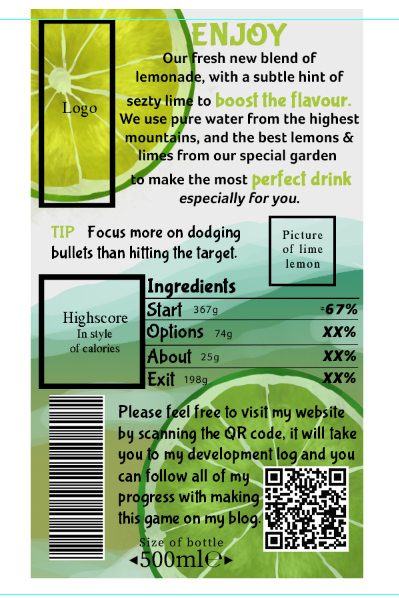
After that, I decided to give it a bit more life, by adding a background and some colour to it.
To do this, all I did was draw the waves with a pressured pen with airbrush mode and pressure on and used a specific brush pen (I think it was a hair one from a pack I installed?) And then I made the lemon and lime by using a combination of the circle tool, clipping masks and a pressured brush.
The image below is the full PNG image I used in Unity to begin making my menu as I would add buttons and change the button’s text font to the same one to look similar to the image on the left when I add it in and get it working.
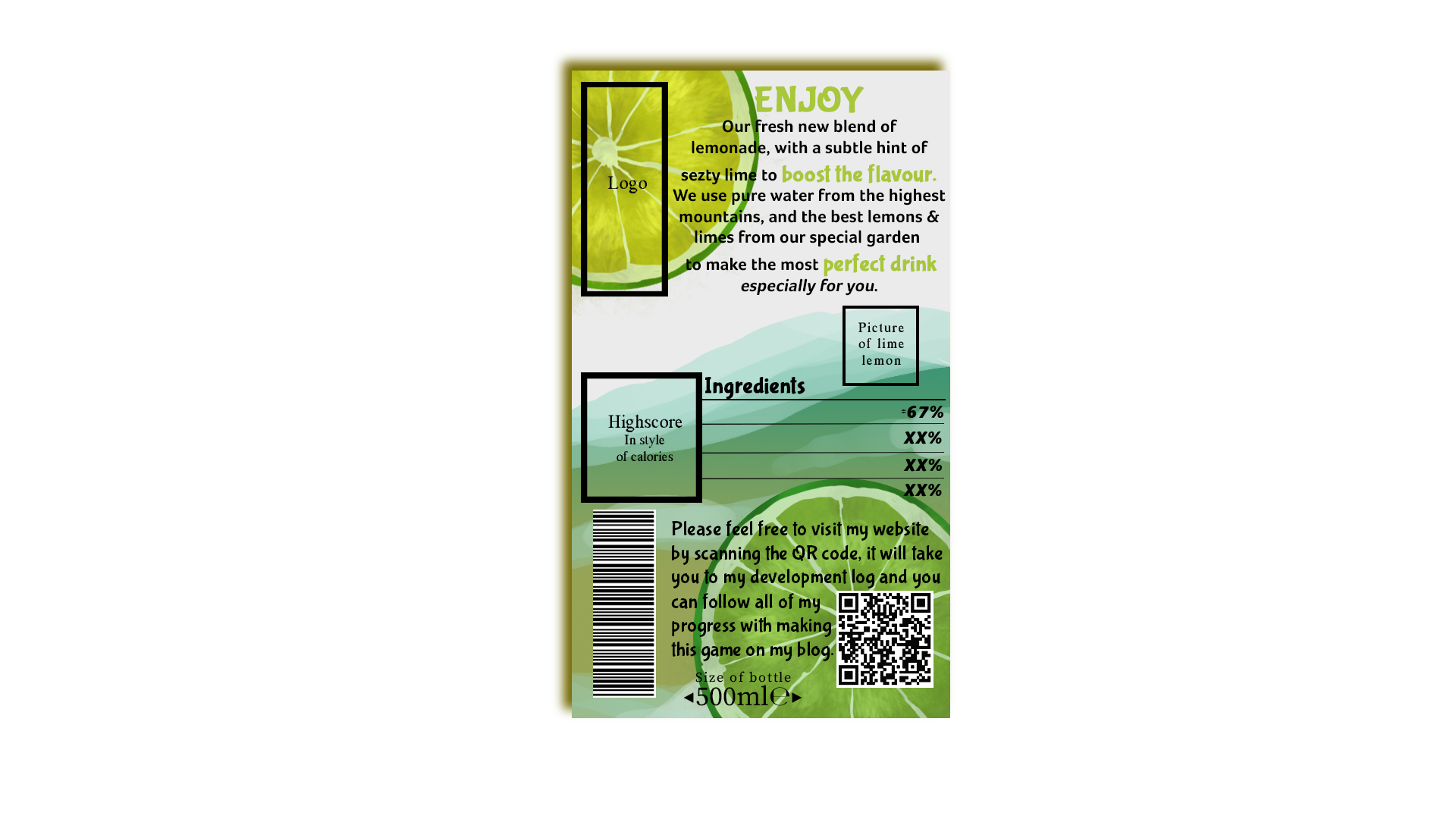
Here is a link to my progress so far with this menu.
https://www.youtube.com/watch?v=SfUr5LXx9ng&feature=youtu.be
As you can see, I still have to make the actual menu functional, but I got the rough bits down and working at least.
There is still a lot I need to add, for example, the high scores and the logo - I also think some lemons or fizzy bubbles on the side would be good as well since I think it looks slightly blank around the edges.
- What did I find difficult or easy?
I found the majority of this easy, the only thing I did find challenging is probably getting it to look good, after I completed it all, I didn’t like how it turned out at all, that’s something I’m working on right now.
- What tasks didn’t I complete from this week?
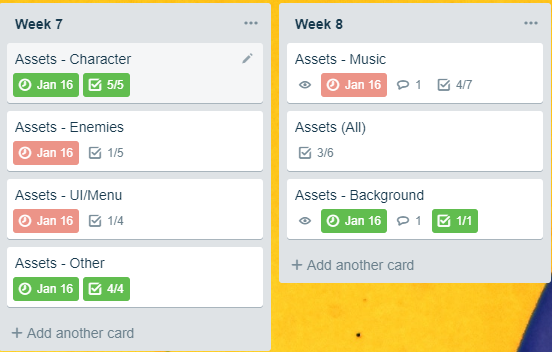
I didn’t complete my Enemies, and the assets needed for the enemies and UI etc.
Planning for next week -
- How do I plan to catch up?
I plan to catch up by simply making the rest of my assets and inserting them into my game.
- Make the Enemies
- Make the HUD elements (Kill count + Timer)
- Finish the music
- Do I need to change anything about my work or planning?
No, I don’t feel like I have to, I like the pace I am going at at the moment.
Week Number & Date: Week 8 - 16th Jan – 23rd
List of Tasks planned for this week:
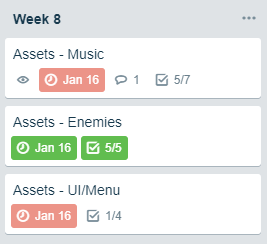
Current Position -
- What did I do this week and why did I do it? (Screenshots/Videos/Photos)
This week I improved on my start screen as much as I could, changing it from vertical to horizontal so it would fit on my screen much better and easier allowing the buttons to be larger and easier to see, another thing I did was make a few prototypes of a scoring system just so I have a simple idea of how it all works so I can insert it into my game.
I also got my menu working properly so it displays the options, starts the game and exits the game, so along with that I also made an options menu and an about menu.
Sprites
After I did that, I carried on making and animating my assets, I finalised the main character sprite (Lemon) and made animations for it, here is the sprite board for the Lemon and Lime.
Lemon & Lime
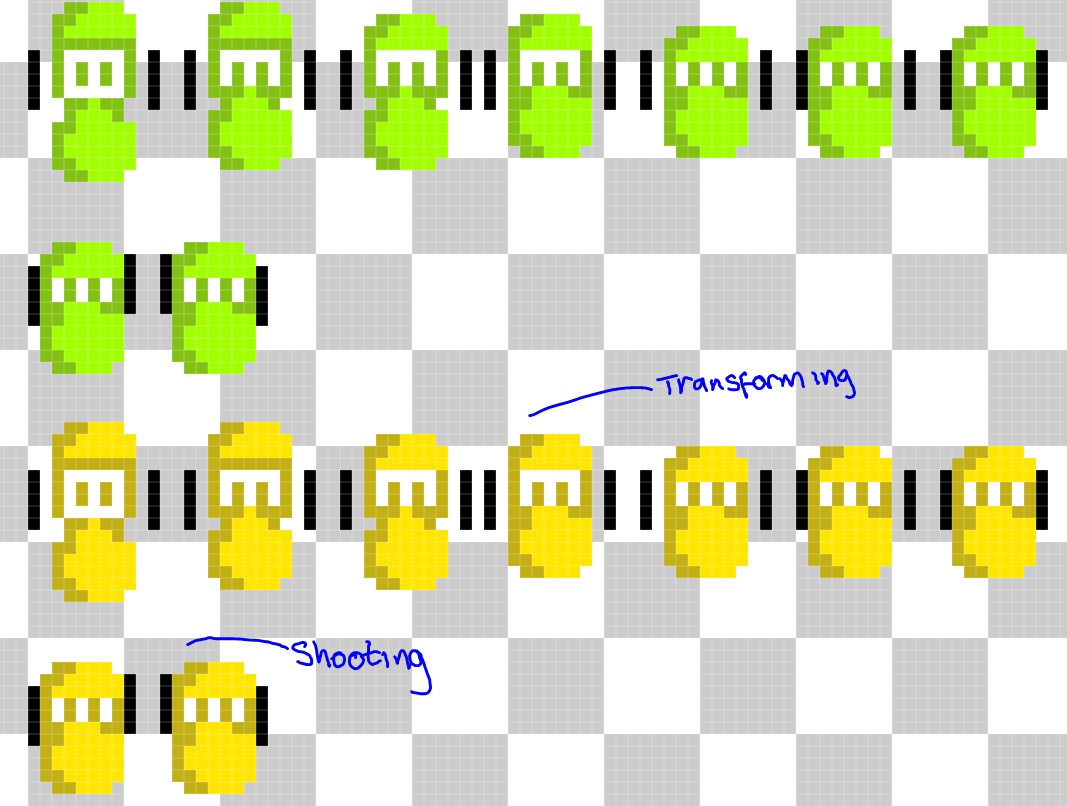
Completed Sprites
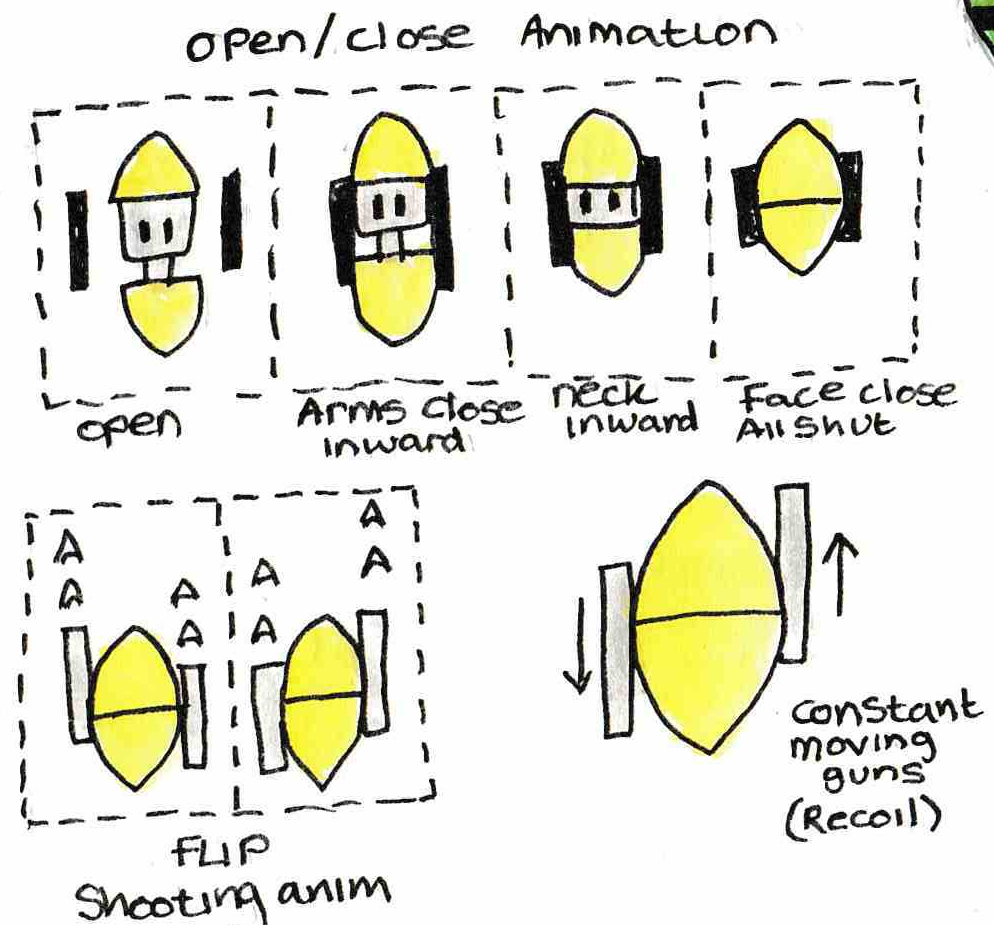
Original Concept Design
Beforehand, I didn’t have the animated sprites for the character, but I now have the shooting sprites and the transform sprites.
I also managed to make the animated enemy sprites. Here is the Molecule Sprite Sheet
Water Molecule
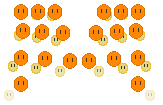
Completed Sprites
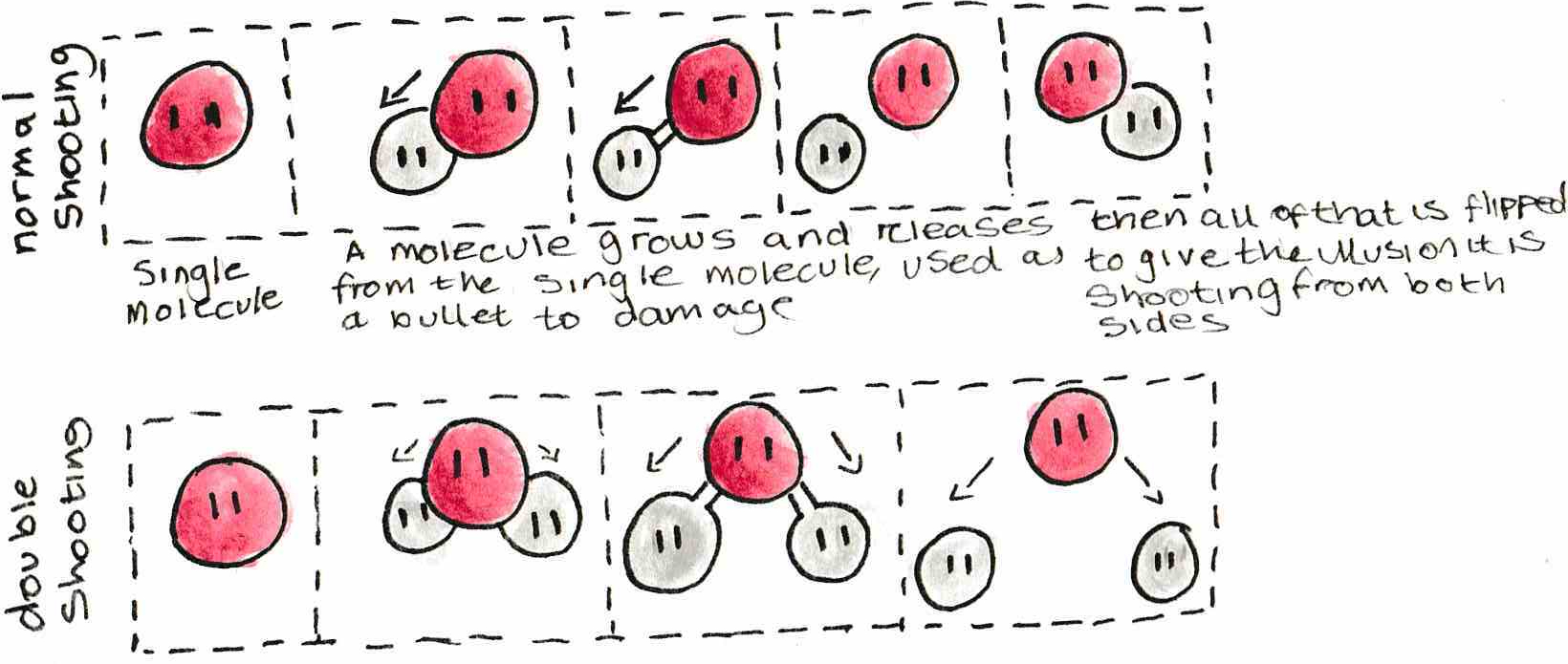
Original Concept Design
Fizzy Bubble
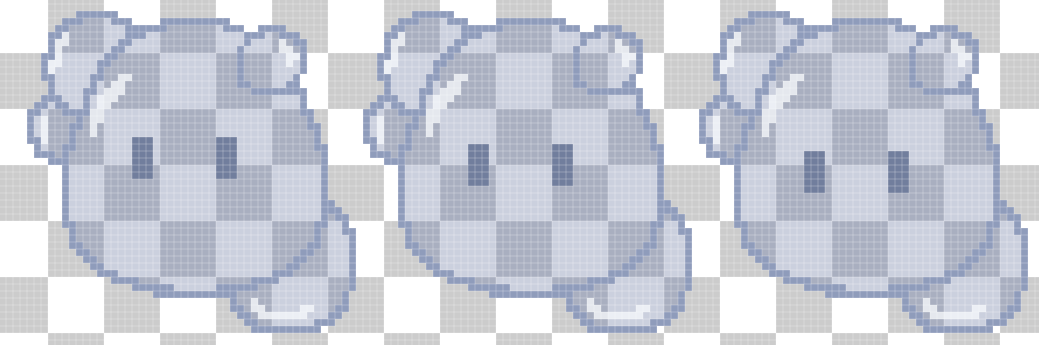
Completed Sprites
The bubble sprite didn’t have any animation designed for it and I never planned to have the bubble do much animation wise as, it is a bubble, all it does is float around until it is killed, so I did a simple animation for it making its eyes move up and down as if it is bopping up and down.
I also found music for my game and inserted it, and I made sound effects for my game, I made it into a youtube playlist below:
https://www.youtube.com/watch?v=CuKntY1IKTg&list=PLAv17K8ZYs1tP4Ec3fn9O_G5dHe2DIxHc
I made these sound effects using this online chiptune maker called BFXR (https://www.bfxr.net/)
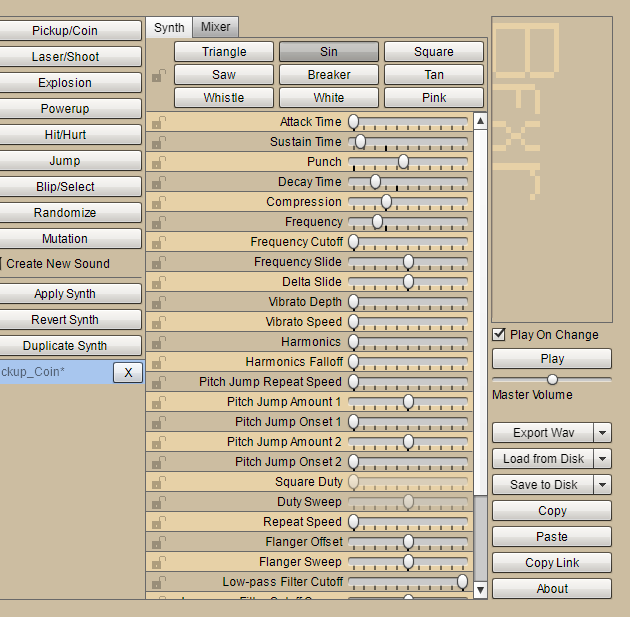
- What did I find difficult or easy?
I wanted to make the text when you hover over the start buttons to fade in instead of just appear but I couldn’t get that to properly work, so I didn’t end up doing that.
I found that getting the actual menu working was a lot simpler than I initially thought, it only required a few lines of code and some components and voila! Nice and simple, I plan to further improve this by making the scenes FADE in and out instead of snapping to the next scene as I feel this will make gameplay look a lot cleaner and finished.
- What tasks didn’t I complete from this week?
This week I didn’t get my music finished, I couldn’t find suitable music for the menu, and I couldn’t find game over or mission complete music
I also didn’t get my UI finished and I would get that finished next week.
Planning for next week -
- How do I plan to catch up?
I plan to catch up by getting my UI finished by next week and I want to also find all of the music I would use for my game and just get all the Sound FX working.
- Do I need to change anything about my work or planning?
I would need to take more progress pictures since I done work and didn’t take pictures of it, but a way I plan to get around this is to record my progress and add annotations throughout the videos.
Week Number & Date: Week 9 - 23rd Jan – 30th
List of Tasks planned for this week:
- Finish the music research and sound fx
- Finish my UI (In game)
- Finish game over screen
- Finish win screen
Current Position -
- What did I do this week and why did I do it? (Screenshots/Videos/Photos)
This week I managed to get the sounds working on my menu when you hover the mouse over the buttons and another sound when the button is actually clicked
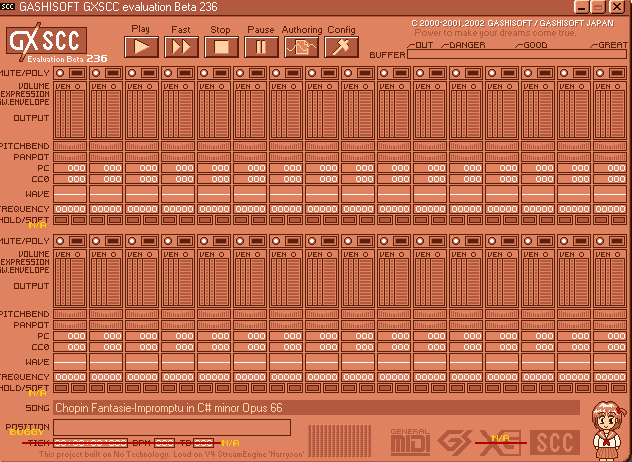
I also got the rest of my music for my game, I started with the Win game music, I really liked the song Etudes Opus 10. No 1 by Chopin, and because Frederic Chopin’s music is in the public domain, I took a midi of the song and put it into GXSCC (8 bit music converter) and made my music, here is a playlist of the in-game music.
https://www.youtube.com/playlist?list=PLAv17K8ZYs1tfiZzZU71l5w4C7K1czTtX
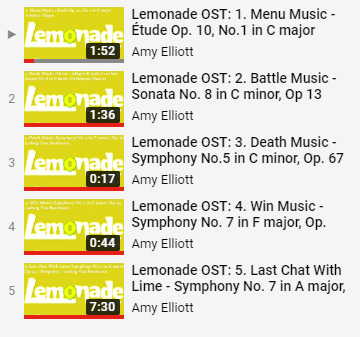
I used Chopin & Beethoven music since I think they have a very ominous feeling to it, and some of the songs - For example Fantasie Impromptu would be an amazing final boss theme since the song is fast paced and the emotion in the song feels as if there is panic, and also I really love my use of Ludwig Van Beethoven’s Symphony No.7 in A major because I think it would fit in perfectly as a chat before a final boss battle as it has an eerie feel about it whilst still being menacing but calming.
I think the music of games is very important as it sets the mood of the scene and that is why some games have an amazing atmosphere and almost feel real.
Another thing I managed to do is make my game have.. a game in it! This did take up some time but after doing this I realized that the colours I used for the enemies really don’t fit in with the yellow theme of the game, so I decided to work on the colour themes for the enemies next week.
This week I also made the logo for my game, I made it by using the Foco font in Illustrator and then changing it into a shape and moving the shapes and points of the fonts to look more awesome and more like a Logo, this way I figured out what the title logo would be and what the picture logo would be
– insert the title logo and the picture logo here–
To get to this stage I did need to do lots of different colour ideas and I different looks for the title, and through making the title a second time I figured out I could use the ‘O’ of the lemonade for a picture logo which could be easily identified when looked at
–insert the different variations of the logo here–
- What did I find difficult or easy?
I found that implementing a working shooting system for the bubble as the bubble had multiple shooting areas on it hard, I found it hard because it needed to all randomly generate which one it would shoot from from the firing points and I couldn’t get that to work.
I also found the destroying enemies outside of the scene hard since it wasn’t working most of the time but I managed to get that working with help from Ashley.
I also had some trouble with finding the music, initially I was going to make my own music from scratch but I am not musically talented so that was an area I lacked in, so I didn’t do well and ended up using copyright free songs and edited them myself.
One thing I did find easy was actually editing the music into 8-bit, and then editing that so it sounds more appeasing.
This week I had problems with the actual unity file for my game as I had a Unity file inside of a Unity file which caused lots of errors whilst programming the game, another error I had was using the & symbol in the title of the file for my game which caused problems with the game whilst trying to run it, but that was a simple fix.
- What tasks didn’t I complete from this week?
The tasks I didn’t complete this week was the UI which I had planned to do, and the win and lose screen, I didn’t do these as I was more focused on the small details and realised that I have plenty of time to do everything at the rate I am going at the moment and I don’t have to do several things in one week.
Planning for next week -
- How do I plan to catch up?
I plan to catch up by focusing on my colour palletes and more detailed animations for next week for the enemies since I think the red colours of the water molecules clash with the yellow background of the lemonade and the blue colours of the bubbles also clash with the yellow background and I need to use a colour wheel and colour theory to find colours which look nice with yellow but also look like what they’re meant to be (For example - having a green bubble would be a little gross)
And for the detailed animations, I wanted to add more action to the enemy animations and the player animations so they look more appeasing to the eye.
- Do I need to change anything about my work or planning?
I need to change some of the colours of my enemy sprites but that would be an easy fix.
Week Number & Date: Week 10 - 30th Jan – 6th Feb
List of Tasks planned for this week:
- Colour palletes
- Re-draw and re-animate the enemies so they look nice with the actual scene
- UI if I can get onto it!
Current Position -
- What did I do this week and why did I do it? (Screenshots/Videos/Photos)
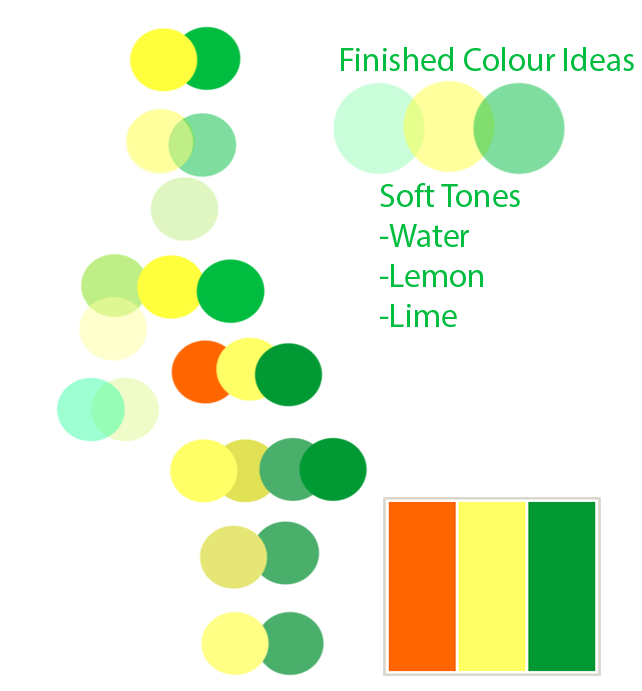
I began by re-doing my colour ideas so I have a nicer looking pallet and game, so all the colours fit nicely together and don’t look out of place, this is my result of experimenting with different colours
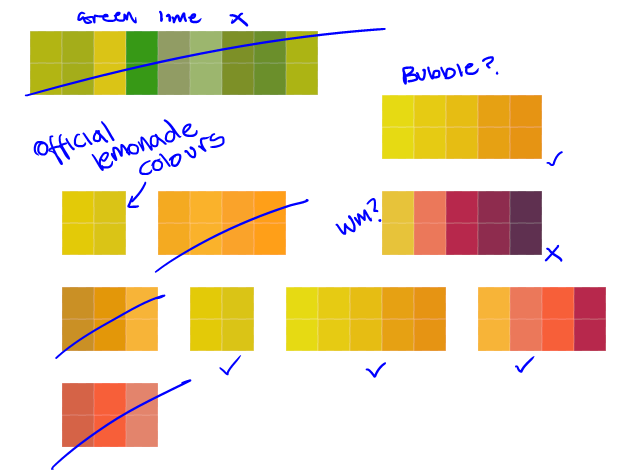
So, as you can see from this list, I deducted and reduced down the colours I like, which lead to me further developing the colour ideas which I liked the look of, and this is my final 3 results.
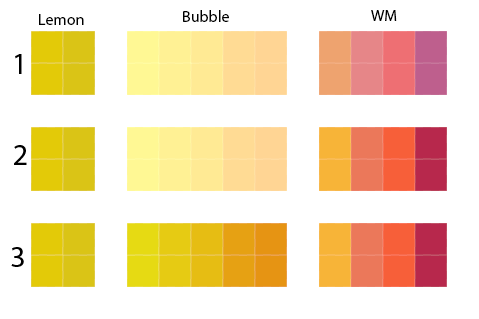
I wanted to make the bubble be a light colour, almost white as it is a bubble, and fizzy bubbles aren’t usually green or pink or any crazy colours, and with the water molecules I done some bright orange and purple tones which sit nicely with the yellow tones of the lemonade, hopefully they wouldn’t stick out too much.
Using this colour pallet I will apply all the different colours to my enemies and see if it looks good.
Since I’m re-doing my enemies, I am going to stick to the same concept but add more detail to a larger canvas, so I decided to go for a 64 x 64 canvas for the bubble since the Lemon is only 16 x 16 so I wanted the enemy to seem large and traumatizing.
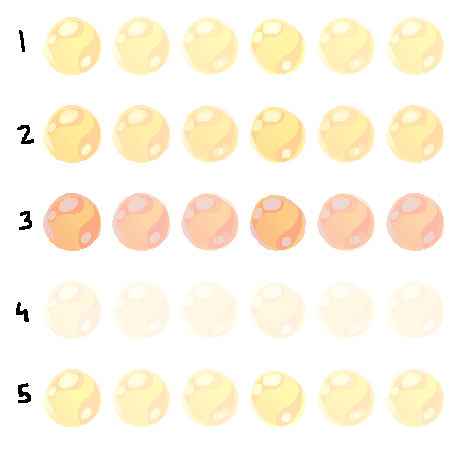
Picking the bubble
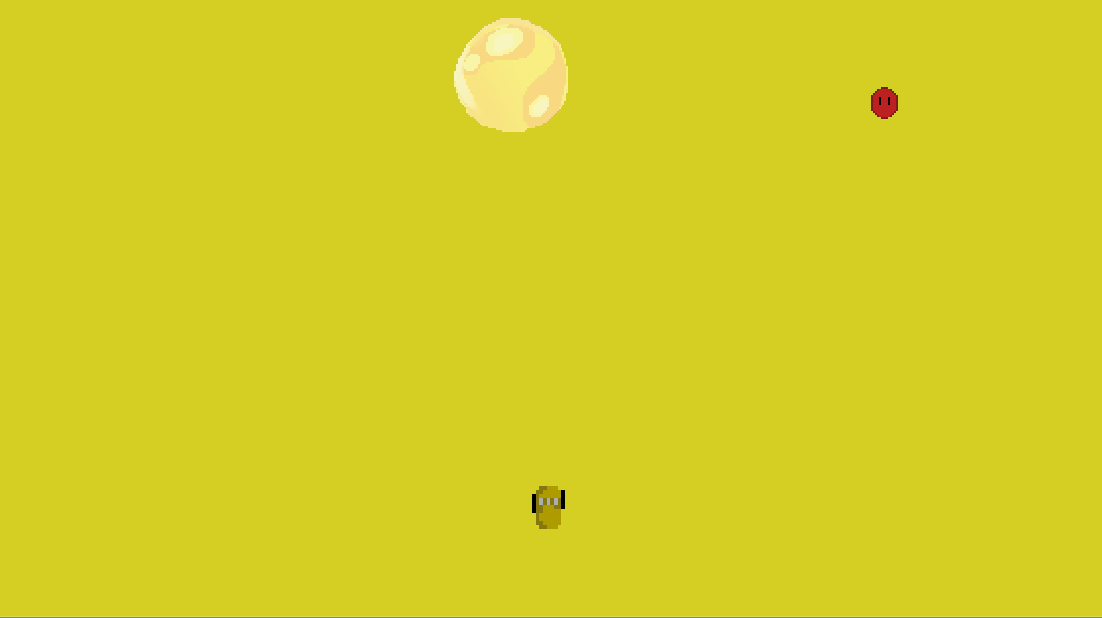
Bubble 1 - In my opinion, I quite like this bubble as it catches your eye as an enemy and it is bright, but I feel it doesn’t completely fit in nicely with the background.
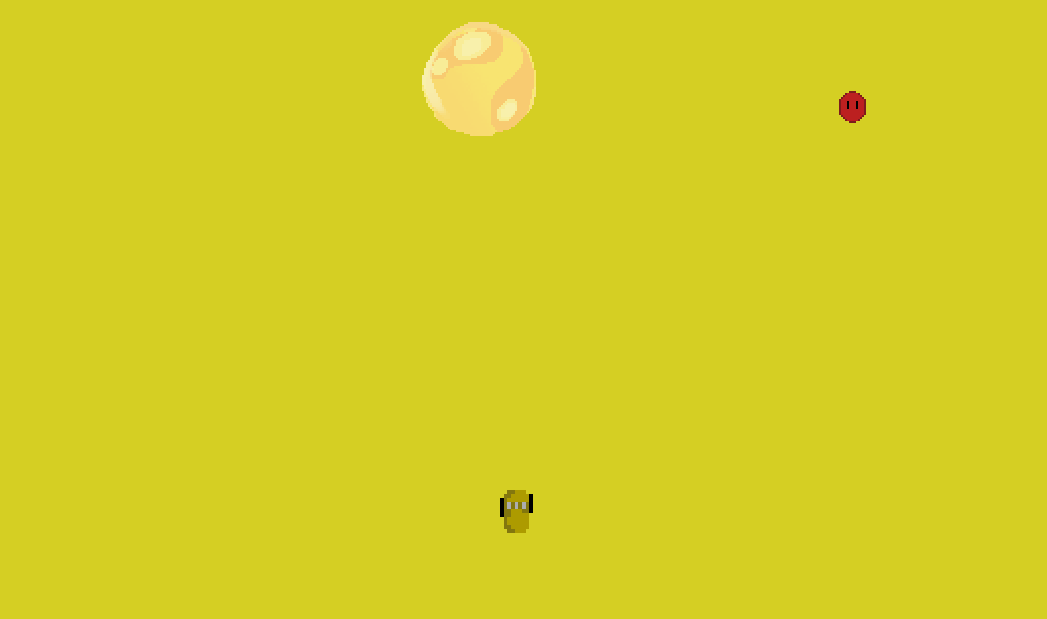
Bubble 2 - I feel as if this bubble fits in more and it is just as bright, perhaps I can consider adding a tint of green because the background looks more green then orange.
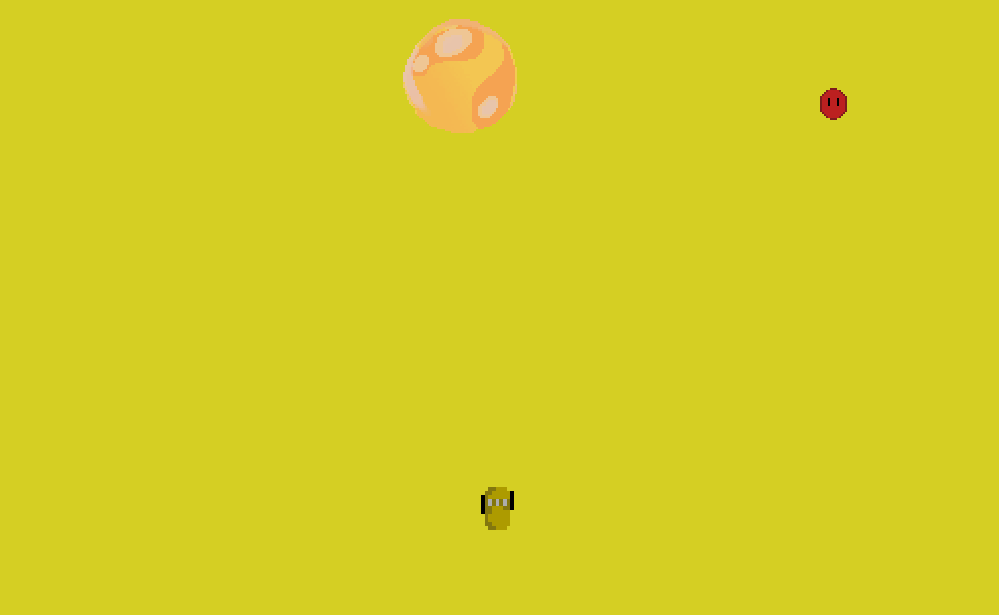
Bubble 3 - I feel as if this bubble is too orange, and it doesn’t really look noticeable. I don’t like this one.
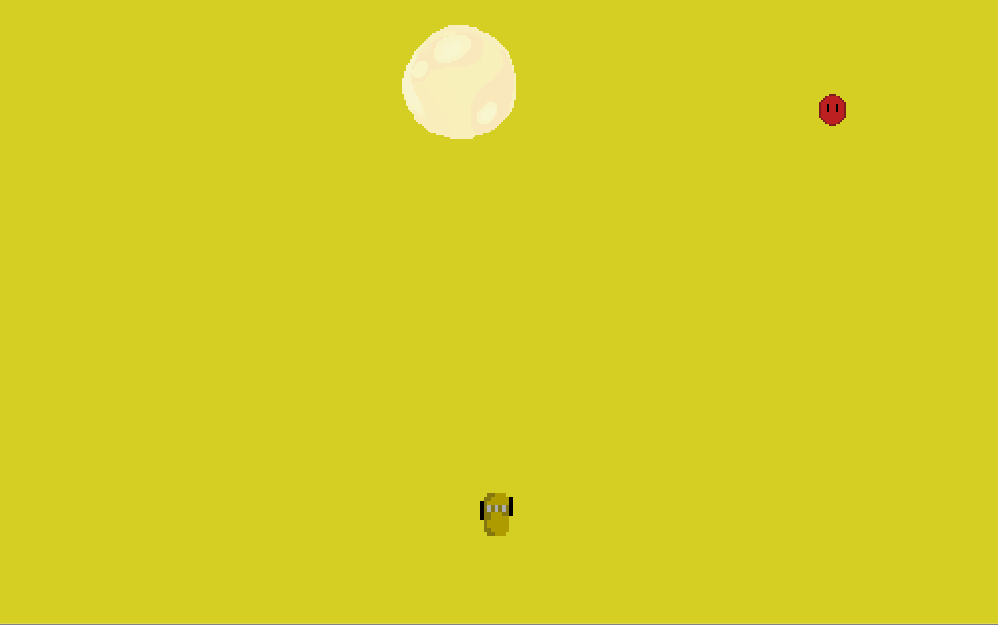
Bubble 4 - This bubble is too light and just looks out of place in comparison to the background.
Out of all of them, I liked bubble 2 the most, so I decided to take B2 and give it more of a green tint so it fit in better, it looks better with the background.

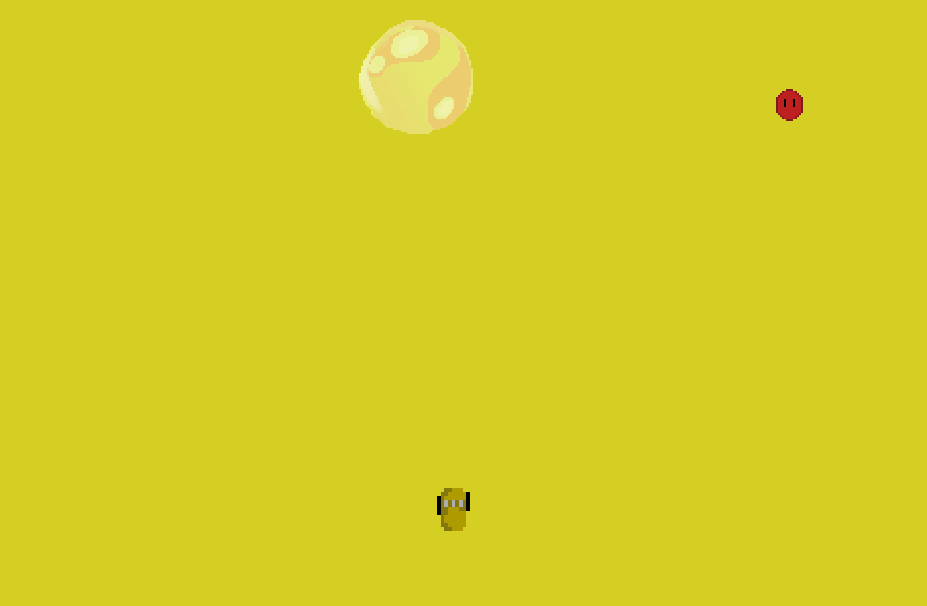
Finished Bubble
And for the molecule enemies, I wanted them to be 32 x 32, since they’re smaller, but they’re still a threat to the Lemon. The size of the enemies in comparison to the lemonade can change later on though in Unity.
This is my water molecule, I decided that it would be easier to stick to the original sprite but change the colours of it so it fits in better with the game instead of bright red molecules which didn’t look nice with the yellow, but now it fits in better.
- What did I find difficult or easy?
Figuring out how to make the bubbles spawn effectively like the water molecules but not at the same rate, in the end, I never found a solution to this problem.
- What tasks didn’t I complete from this week?
Planning for next week -
- How do I plan to catch up?
- Do I need to change anything about my work or planning?
Week Number & Date: Week 11 - 6th Feb – 13th
List of Tasks planned for this week:
- Win & Lose screen
- UI
Current Position -
- What did I do this week and why did I do it? (Screenshots/Videos/Photos)
This week I updated my Lemon sprite sheet and added an animation which I forgot to add from my concept art sheet, this animation was the idle animation which I figured that I forgot when I got to the point of actually implementing the animations
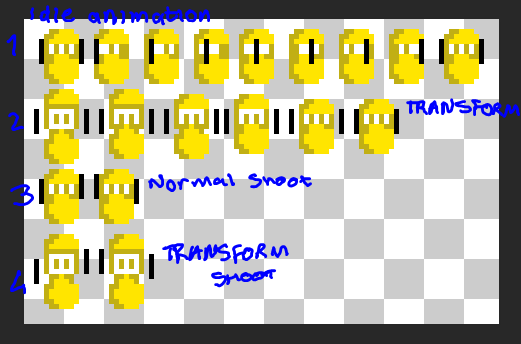
Another thing I implemented into my game is the sound effects of the lemon shooting and getting hit by the enemy.
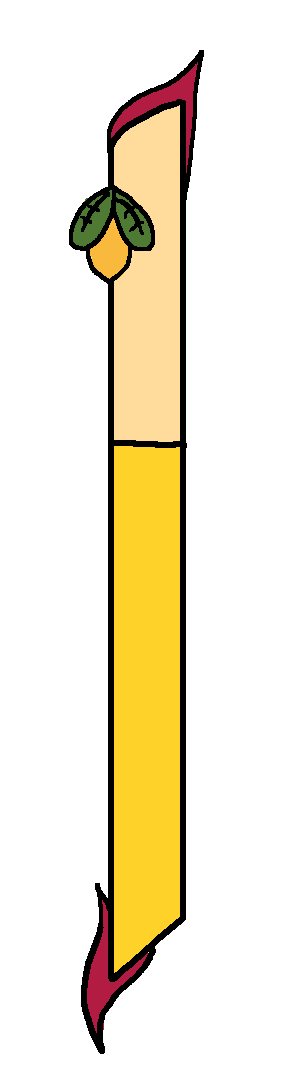
Another thing I implemented into my game was the beginning of UI, using my concept as a guide I created this.
I created separate assets, the empty bar and the bars inside fill, so if I wanted to program the actual health bar, I can - But I shall leave that till later when I have spare time to catch up.
One thing I think I should change is the black outlines of the bar since it looks really out of place with the rest of the game since the outline is so bold and ‘in your face’ - but I do like how it overall looks and think it serves as a very nice health bar.
When I implemented this UI, I had trouble with the layers, the enemies and the player appearing in front of it.
(BELOW) This is my enemies killed bar, in its empty state

When this bar is full, it fills with a salmon colour, the rings around it represent the bubbles and one of them would be destroyed each time you kill a bubble starting from the right to the left, but the bar behind it is the thousands of water molecules, filling from the left to the right.
This bar basically tells you how far you are in the level and if you reach the middle of the bar (I have yet to add that marker) before the time is up you have successfully defeated the level, it’s impossible to fill the bar all the way through since you would need to defeat EVERY single enemy and that would be impossible, so the middle is the part you have to get to get onto the next level, and any extra would just add onto your score.
I started on my win/lose screen and realized I wanted a experience bar, so I done some sketches of the experience bar and what I’d want it to look like.
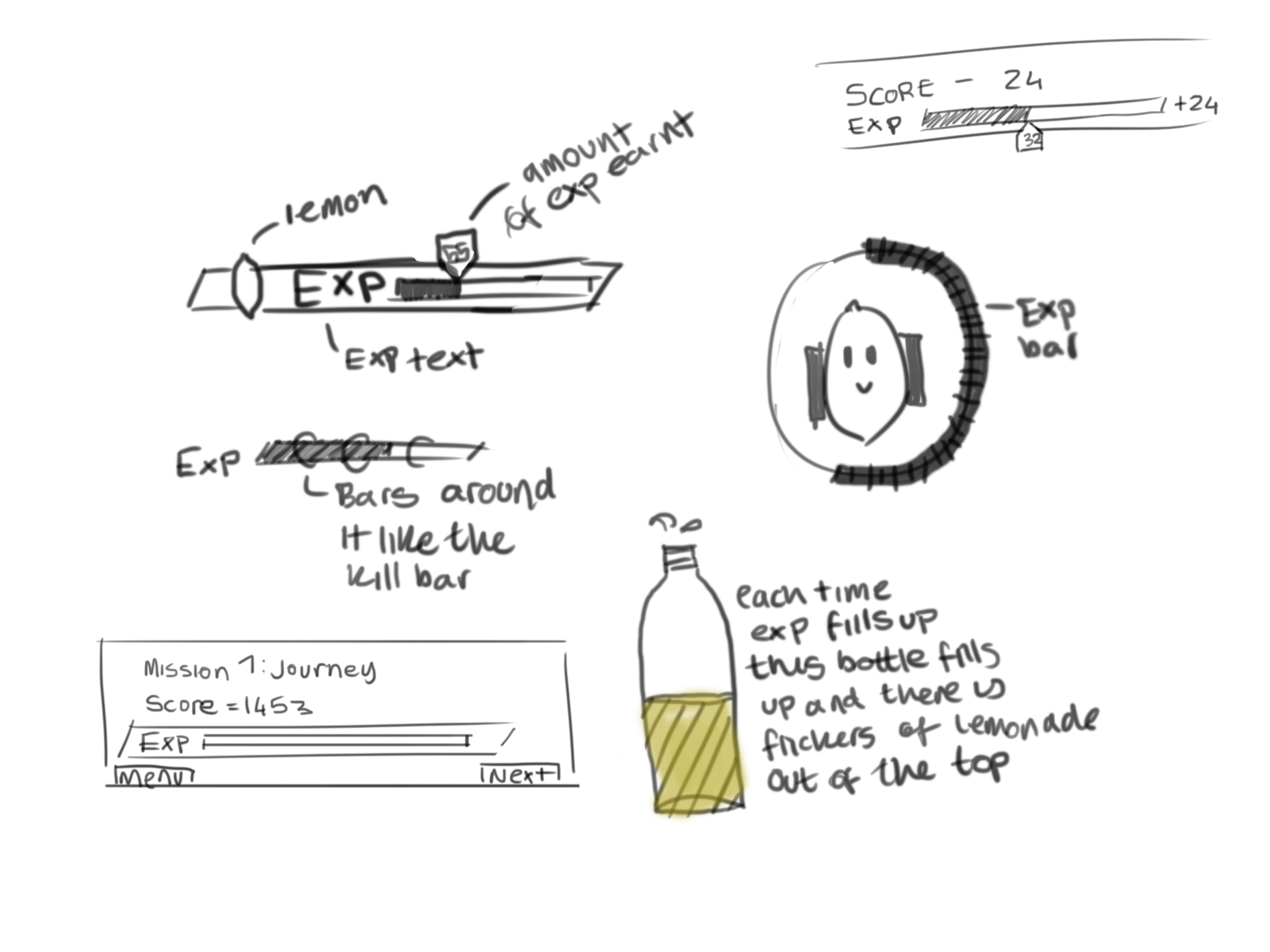
In the end, I stuck to the bottom left one since I think it displays your score and progress very well in an organised manner, so I went ahead with making this.
Whilst I was making this I had an idea to have the mission titles flash at the top at the beginning of every level
https://www.youtube.com/watch?v=LDWCH0mnmsU
This is my 4th development update video, sorry about the quality.
- What did I find difficult or easy?
I found the health bar difficult to get properly working in my game, even though I am doing the art pathway, I wanted to attempt to get the health bar to work, I know exactly what I need to apply to the script and how to get it working, I am just having trouble with the actual bar when it scales up and down (As seen in the video) as it distorts the actual bar, I’m sure there is an easy way to fix this, but I would rather focus on other things which aren’t programming related so I can get everything to look nice.
Another thing I didn’t get working properly is my animation. I have the actual sprite sheet with all the animations on them, I’m just having trouble applying them as I keep getting errors in my code.
- What tasks didn’t I complete from this week?
The tasks I didn’t get completed is the win and lose screen, I plan to get this done by Friday though.
I also didn’t get the Kill Bar inside the actual game.
Planning for next week -
- How do I plan to catch up?
I plan to catch up by finishing off my UI and then getting someones help to get the animation working in the game.
I need to focus on getting my win and lose screen working for my game next week, which shouldn’t take too long.
- Do I need to change anything about my work or planning?
I need to change the colours on the kill bar so it would look nicer in-game when applied to the HUD
Week Number & Date: Week 12 - 13th Feb – 15th (FINAL)
List of Tasks planned for this week:
- Win/Lose screen
- Polish the game
Current Position -
- What did I do this week and why did I do it? (Screenshots/Videos/Photos)
This week I managed to get my win and my lose screen working, I think it looks really nice in-game and makes my final product look more polished and finished, to get the win screen to actually work I needed a win condition, so for example - say you score 1000 points to win - so I had to make a scoring system, Rob helped me with this part as I didn’t know where to start (Thank you Rob!) - More details about this scoring system is in my development update video.
Another thing I managed to do is actually make the EXP bar in photoshop, I think it looks really nice and with the shadow on the bar it makes it look as if it pops out.
And one thing I added to make the game seem more quirky and fun is enemy explosions, so I used a particle emitter and a simple script to play an explosion effect when the player kills the enemies, this makes the enemy kills more satisfying as the enemy sprites aren’t just being destroyed when they’re killed they’re being destroyed and replaced with a particle effect - I’m really glad I added this.
Another thing I did, was since I built & ran my game, I noticed that some of my stuff didn’t work properly at different resolutions so I spent a few minutes adjusting some anchors to make it all look proper at different resolutions.
Here is my final development update video. (Don’t worry it’s not choppy like my last one)
https://www.youtube.com/watch?v=K8AGq7evwt8&t=14s
- What did I find difficult or easy?
Implementing the win screen since I hadn’t made a win condition at that time. I found this difficult as I had no idea what I wanted my win condition to be, so I decided on a simple score system, but if I had a bit more time I might’ve implemented something like a boss which you have to fight to win (Hint: It probably would’ve been the lime)
- What tasks didn’t I complete from this week?
I’m going to talk about what I wish I could’ve implemented since we have come to the deadline and I still have so many more ideas of stuff I want to add -
I would’ve loved to add some sort of story to this, whilst listening to the soundtrack of my game I had a plan that I wanted to add the Lime as the final boss and them having a very intense chat before the battle starts whilst Symphony No. 7 in A major, Op 92 plays in the background as I think it is very dramatic and sets the mood, and then I would’ve had the final boss fight be really really hard with the Lime souring up the lemonade bottle and the lemon trying to rid of it before the lemonade turns into limeade.
And another idea of things I would’ve loved to add is health drops and traps which would help the player somewhat but they don’t know if they’re picking up a health drop or a poison drop but they have to make the decision if they’re going to pick it up fast since there are still bullets flying everywhere!
I also wanted to add more sound effects to make the game seem more in-depth and action-packed since the bubble doesn’t make any sound effects when it fires its bullets but the players do.
Another thing I wish I could’ve added was a script to the bubbles so when they spawn they spawn at different sizes.
I think I might work on this game in my own time.